Data Analysis with Balansor
This guide explains how to process and analyze survey data using Balansor, Askalot's statistical analysis service. Balansor extracts survey responses into a Bundle, codes open-ended answers, applies post-stratification weighting, refines columns, evaluates data quality, and exports results in multiple formats — all driven from one pipeline board.
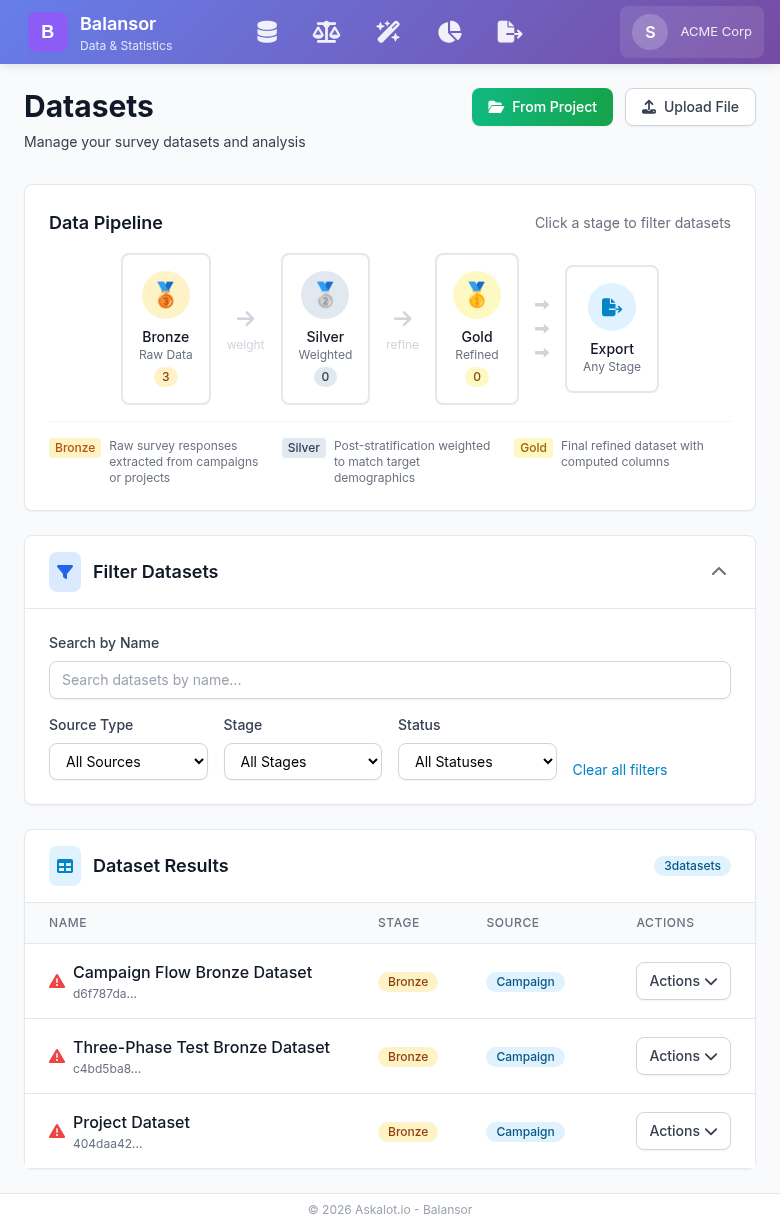
The Balansor pipeline board — one card per Bundle, each showing its Bronze → Silver → Gold stages.
Core Concepts
Bundles
A Bundle binds one Project, one Questionnaire, and a chosen — non-empty — subset of that Questionnaire's Campaigns to exactly one Bronze → Silver → Gold chain. It is the unit you work with in Balansor: the home page is a pipeline board of Bundle cards, and every action — extract, code, weight, refine, export, check quality — happens on a specific Bundle's stage.
A Bundle owns at most one dataset per stage. If you want to try a different weighting approach or a different set of computed columns on the same raw data, you clone the Bundle — the clone starts with an identical copy of the ready stages and can be re-derived independently, so you can compare variants side by side on the board.
No more picking datasets from a list
Earlier versions of Balansor asked you to pick a dataset from a flat list on every page. That's gone — everything now flows from the Bundle card and its three stage nodes.
The Medallion Architecture
Balansor organizes each Bundle's data using a medallion architecture with three progressive stages. Askalot's stage names carry specific meanings that differ slightly from generic "medallion" usage elsewhere — the plain-language subtitles on each board node ("raw extraction", "coded + weighted", "analysis-ready") are there so you never need to think in jargon:
🥉 Bronze — raw extraction
- One row per completed survey from the Bundle's chosen campaigns — everyone the fielding returned, drawn respondents and volunteers alike
- No statistical corrections applied — original response values preserved
- Foundation for everything downstream; re-extracting picks up newly completed surveys
🥈 Silver — coded and weighted
- Open-ended text is coded first. If the questionnaire has open-text questions, Balansor turns their answers into labelled categorical variables before anything else happens on this stage — see Open-End Coding.
- Weighting runs once, on the coded data. Post-stratification weights are then applied so the sample's demographics line up with your target population — and the newly coded dimensions are available as weighting variables alongside demographic factors.
- Includes a
_weightcolumn for statistical analysis and one column per coded dimension you kept.
🥇 Gold — analysis-ready
- Final dataset ready for publication or delivery
- An ordered catalog of column rename/remove/reorder operations plus computed fields (arithmetic, range-bucket recode, concatenation)
- Highest quality tier for client delivery
Why coding comes before weighting
This ordering matches how experienced survey researchers work: you code open-ended answers into categories first, then weight the whole case base once — including the new categories as inputs, not as an afterthought. Weighting a dataset a second time, or weighting anything other than the Bundle's own raw extraction, isn't offered — it would produce numbers that don't mean anything.
Why This Staged Approach?
- Reproducibility: Raw data preserved; every processing step is visible on the board
- Flexibility: Export from any ready stage based on what a client needs
- Quality assurance: Progressive refinement with checks at each stage
- Auditability: Full lineage from raw responses to final deliverables
Getting Started
Accessing Balansor
Navigate to Balansor from the main navigation menu or directly via your tenant URL:
The Pipeline Board
The board is the Balansor home page and the bundle picker. Each card represents one Bundle and shows:
- Bundle name and how many campaigns feed it
- Three stage nodes — Bronze, Silver, Gold — each showing its current status: missing, working, ready, failed (with a reason), or stale (needs re-deriving)
- Per-node actions: extract/re-extract Bronze, derive/re-derive Silver, refine/re-refine Gold directly from the card, plus a Quality button
Click a Bundle's title (or the Quality button) to open its Overview page — the full Representativeness story, the analysis-base threshold, current-Strategy controls, and the Research Paper section. From there, navbar icons open the Bronze, Silver, Gold, and Export phase pages for that Bundle — each hosts the full editing experience for its stage (the Silver page's Calibration Targets editor, the Gold page's operation-catalog editor, and so on) that the board's inline actions don't expose.
When the controls are hidden
If you can read a Bundle but not change it — you hold the analyst role, or you are visiting a sealed organization such as the demo — the board still shows every Bundle you have access to with full status and quality, but the create/run/delete/clone controls are hidden.
Creating a Bundle
- On the board, click "New Bundle"
- Give it a name
- Choose the Project
- Choose the Questionnaire — this defines the dataset's columns
-
Select the Campaigns to include (a "select all" option is available). At least one is required — a Bundle is defined by the fielding it analyses, so there is nothing to extract without one.
A volunteer who walked in on one of your campaigns, or arrived through its open link, needs no setting: their survey belongs to that campaign and arrives with it, flagged so you can tell them from the people the sample design selected. Previews — a designer's test walk, a reviewer opening a share link — never arrive at all, and there is no option that admits them 6. Click "Create"
The new Bundle appears on the board with an empty Bronze node, ready to extract.
Extracting Bronze
Click "Extract" on a Bundle's Bronze node. This pulls one row per completed survey across the chosen campaigns, using the questionnaire's structure to define the columns — so the schema stays consistent regardless of which campaigns are included. Each row records how that person arrived, drawn or volunteer, so every later stage can report the split.
Multi-part items expand into exactly the columns the questionnaire declares: one column per sub-question in a question group, and one per row × column cell in a matrix question (a 4-row, 1-column matrix yields exactly four columns). The extracted schema always mirrors the questionnaire definition — the same declared structure the formal verification covers — with no padding or placeholder columns.
Multi-select questions get one extra column per option. A multi-select answer is stored as the combination a respondent chose, which is faithful to what they submitted but cannot be weighted: every observed combination would become its own weighting cell, and the options do not divide the sample into groups anyway, since one person can pick several. So alongside the combination column, extraction adds a yes/no column for each declared option — the same shape open-end coding produces — and those are what you can weight and cross-tabulate on. A respondent who skipped the question leaves the option columns empty rather than "no", so a skip is never counted as a rejection of every option.
An older Bundle needs a re-extract to get them
Bundles extracted before this existed keep their original columns until you re-extract; nothing changes underneath a dataset you have already worked with. So if a questionnaire has multi-select questions but the Calibration Targets editor offers no option columns for them, the extraction predates the feature — re-extract and they appear. Re-extracting marks Silver and Gold stale as usual. (Reading a Bundle's Calibration Targets over the API also returns a bronze_schema_stale flag that answers this directly.)
Re-extracting later (as more surveys complete) picks up the new responses and marks the Bundle's Silver and Gold stages stale — they still hold their prior data and settings, but need a one-click re-derive before they can be trusted or exported again.
Data-suspect surveys are left out
A completed survey whose run hit a critical problem — logic in the questionnaire that failed part-way through, leaving the branching that followed to run on incomplete values — is excluded from extraction. Its answers were accepted at the time, but they cannot be relied on, and a dataset is the wrong place to discover that.
Nothing is deleted: the survey stays fully readable in Targetor, where the campaign page lists its degraded surveys and the survey detail page shows exactly where the problem occurred. Fix the questionnaire logic, re-field, and re-extract. If a Bronze row count is lower than the campaign's completed count, this is the first thing to check.
Deriving Silver: Coding and Weighting
Open a Bundle's Silver phase page. Two things happen in order when you click Derive:
- Coding. Balansor turns the questions you selected for coding into one labelled categorical column per dimension you kept — see Open-End Coding for the mechanics. The Open-End Coding accordion on the same page is where both choices are made: its Questions to code picker lists every open-text question the Bronze offers, and the dimension review below it is where you propose dimensions, read their categories, and tick the ones to keep. Both choices feed the next derive, not the one just run. With nothing selected — because you chose nothing, or the questionnaire asks no open-text question — this step is skipped and weighting runs directly. A question that is selected but whose dimensions nobody has reviewed produces no coded column, and the Silver stage and the export both say so rather than shipping a file that is quietly missing them. Coding that is attempted and yields no column at all is a different case and fails the derive: one question that cannot be coded is left uncoded while the rest proceed, but zero columns out of every question tried stops the stage with a message naming each one, instead of publishing a Silver that looks finished and contains none of the coding you asked for.
- Weighting. Post-stratification weighting (raking) then runs once, on the coded case base, against the Calibration Targets accordion — see below.
Because coding and weighting can take a little time, Balansor runs this derivation in the background — the Silver node shows "working" while it processes and updates automatically once it's ready (or reports a reason if it failed).
Calibration Targets
Calibration Targets are the actual weighting benchmark — a per-Bundle spec you edit on the Silver phase page, separate from the Bundle's current Strategy (which grades the Bronze measure instead). The first time you open the Silver page, Balansor seeds Calibration Targets once from the current Strategy's factors; after that, you edit them freely:
- Untick Raked on a Strategy factor you don't want to weight against. The current Strategy's factors always stay listed, with the Strategy's targets shown, so you can still see that the design had that margin. Ticking it again weights against the Strategy's own targets, which is also how you reset a Strategy factor whose targets you edited.
- Add any dataset column as a factor — a Bronze demographic or answer column, a multi-select option column, or a coded open-end indicator — with its own target proportions (must sum to 100%). A factor you added can be dropped again.
Reassigning or advancing the Strategy elsewhere never re-seeds Calibration Targets — the two are independent once seeded. The new Strategy's factors appear unticked until you tick them.
Two kinds of column are never offered, because neither can be weighted: the bookkeeping columns extraction records around each row (identifiers, status, completion time, response timing, the weight itself), and the raw combination column of a multi-select question — pick its per-option columns instead, one target per option.
A target category is the value the column stores, not its caption
Weighting groups the data by the value actually in the column — for a coded answer that is the option's code, not its text; for an option or coded-theme column it is 0 and 1. In the editor you pick a category by its option text and Balansor stores the matching code for you, so the picker cannot get this wrong. A target written straight through the API, or one inherited from an older recipe, can.
If none of a factor's categories occurs in its column, the derive fails and the Silver node reports why, showing your declared categories next to a sample of the column's actual values. It does not quietly drop the factor, and it does not produce a dataset whose weights are all 1.0 alongside a quality score. A factor with some categories present is weighted normally; a declared category that nobody fell into is an ordinary, expected result.
Weighting Results
After a successful derive, the Silver phase page's Quality accordion shows:
| Metric | Description |
|---|---|
| Converged | Whether the algorithm reached stable weights |
| Iterations | Number of raking iterations performed |
| Mean Weight | Average weight (should be ~1.0) |
| Design Effect | Variance inflation due to weighting |
| Weight Range | Min and max weights assigned |
| Effective Sample Size | Equivalent unweighted sample size |
Interpreting Design Effect
A design effect of 1.5 means your effective sample size is 67% of your actual sample size. Higher design effects indicate more extreme weighting adjustments.
Quality Checks
Quality belongs to the Bundle, not to an individual dataset — click a Bundle's title on the pipeline board to open its Overview page (the Bronze and Silver phase pages also surface their own measure inline). The page follows one sample from the design you intended to the file you deliver, in the order the distortion happens:
- Strategy → Pool — did sampling achieve the design? One reading per Pool your Campaigns drew on, against the Strategy that generated it. A Pool built by hand has no design to measure against, and says so.
- Strategy → Actual — how far off was the realized sample, before any weighting? Against the Bundle's current Strategy, with a per-campaign breakdown. Reports no strategy until one is assigned.
- Strategy → Weighted — did weighting recover the design? Against the same Strategy as (2), which is what makes the pair readable: the two differ by exactly what weighting recovered.
Those three share one referent, so they sit on one scale. A fourth measure deliberately does not:
- Pool → Actual — what did fielding itself contribute? Measured against the Pools the Surveys came from, over pool-borne Surveys only. It isolates the fielding step, which the three above cannot separate from a Pool that was already off-target — so read it as a diagnostic, not as a fourth point on their scale.
And one measure has no referent at all:
- Response Quality — are questions producing informative, diverse responses? Normalized Entropy, Straightlining Score, Cronbach's Alpha, Acquiescence Bias. See the Quality Metrics Reference.
The four representativeness measures compare demographics against their targets using RMSE, MAE, Chi-Square, Max Deviation, and a Composite Quality Score — see the Quality Metrics Reference. None of them ever reports a zero in place of a gap: a factor whose data cannot support measurement is named as unmeasurable and left out of the score, because a zero would read as a bad grade rather than as a missing one.
Recovery, and what it cost. Attached to the weighted measure, the Overview shows how much distance from the design weighting closed — measured in error units over the factors graded on both sides, so the figure means the same thing on every Bundle. Immediately beneath it are the design effect and effective sample size: because no respondent is ever discarded to balance a distribution, the price of recovery is variance, and this is where you see it. Below 1.5 is a low cost; 1.5–2.5 warrants caution with small subgroups; above 2.5 the weighted estimate rests on a small effective sample.
The current Strategy is re-assignable from the page header, and reassigning it recomputes all three Strategy-referenced measures. After fielding, you can advance it: the advance dialog clones the strategy and appends outcome factors grounded in actual response columns plus an external benchmark (the original strategy is never edited). A benchmark's categories must be the question's options, written as option codes or as the option labels. The dialog refuses a category the questionnaire does not offer and names the ones it accepts. If it cannot check a column, for example a free-text answer, it creates the strategy and shows a warning saying so. If a factor's targets later name no category its column holds, for example because the questionnaire changed after the advance, the factor is shown as unmeasurable ("Targets match nothing") and left out of the score, not graded as a full deviation. An outcome factor's column and targets are changed only here or over MCP/REST. Targetor's strategy editor shows them read-only and can rename, reweight or remove the factor. The Overview page can also launch the AI Analyst report — see that guide for how the analyst interprets these metrics.
The measurement base and the analysis base
Two different populations sit behind those numbers, and the page names which one every count refers to.
The measurement base is everything fielding returned — the Bronze data. It is what the fielding measures count, and it can include partly-finished and engine-flagged Surveys if you admit them: the campaign-set dialog's Measurement base toggles decide whether partial and suspect Surveys are extracted at all. Admitting them re-extracts Bronze and re-derives everything downstream.
The analysis base is the subset that passes the Bundle's completeness threshold — its own card on the Overview page, defaulting to 50%. A Survey's completeness is the share of the items it actually reached that it answered, so skip logic never counts against a respondent, and a Survey that reached no applicable item has no completeness at all rather than a zero. Changing the threshold re-derives Silver and Gold; Bronze is untouched, so nothing needs re-extracting.
The completeness threshold is one of two cuts you control. The other is whether volunteers stay in the analysis base — the people who took part without being drawn into the campaign's pool. It is off by default, so volunteers are analysed like everyone else unless you decide otherwise, and it cuts at Silver rather than at extraction: Bronze keeps everyone the fielding returned, so the drawn/volunteer split stays reportable whichever way you decide, and changing your mind re-derives Silver and Gold without touching Bronze.
There is no equivalent choice about previews. A designer's test walk or a reviewer's run through a share link is not a case, and nothing admits one into a dataset.
The threshold is a cutoff you introduce, so the page shows what it removed: the excluded set is profiled against the analysis base on your Strategy's own factors. Two row counts cannot tell you whether a cut introduced bias — a threshold that removes 12% is harmless if that 12% looks like the people it kept, and is a bias you created if it does not. When nothing was excluded, the block says so rather than showing a divergence of zero.
Calibration Targets
Weighting doesn't target the current Strategy directly — it targets the Bundle's Calibration Targets, a separate, editable spec that lives on the Silver phase page. They are the weighting instruction, not the yardstick: the result is still graded against the current Strategy, so Calibration Targets that drift away from your design show up as distance from that design rather than as a perfect score against their own aim. The first time you open that page, Balansor seeds it once from the current Strategy's factors; after that, editing the Strategy elsewhere never touches it. From then on you edit it freely: drop a seeded factor, or add any weightable dataset column — a Bronze demographic or answer column, a multi-select option column, or one of the categories discovered by open-end coding — with its own target proportions. See Calibration Targets above for what makes a target valid.
Improving Representativeness
If quality scores are low:
- Check respondent demographics: Missing demographic data reduces matching capability
- Review strategy targets: Ensure targets are achievable with your respondent pool
- Consider broader factor definitions: Combine small categories with few respondents
- Increase sample size: More respondents enable better matching
Refining to Gold
Open a Bundle's Gold phase page to transform its ready Silver dataset into a delivery-ready file. The Transform Recipe accordion edits an ordered catalog of operations; Derive applies the saved recipe to build Gold; Column Layout Preview shows the resulting column order before you derive.
The Operation Catalog
Gold's transform recipe is a fixed, ordered list of operations — not a free-form expression language. Four operation kinds are available, applied left to right:
| Operation | Effect |
|---|---|
| Rename | Rename a source column |
| Remove | Drop a column |
| Reorder | Set the full output column order in one row (a column left out is appended after the named ones, in its natural order) |
| Compute | Add a new column derived from existing ones (see below) |
Compute supports three kinds:
| Kind | Effect | Example |
|---|---|---|
| Arithmetic | A numeric operation (+, -, *, /) between two columns |
total = price * quantity |
| Recode (bucket) | Map a numeric column into named [min, max, label] range buckets |
Age → 18-34, 35-54, 55+ |
| Concatenate | Join several columns with a separator | full_name = first_name + " " + last_name |
A fourth kind, formula, is reserved for a future release and is not yet supported.
Save the recipe before deriving — Derive always builds from the persisted operations, never from unsaved edits in the editor.
Exporting Data
Export from Any Ready Stage
Open a Bundle's Export phase page — it lists all three stages (Bronze, Silver, Gold) with their live status, driven entirely by the database (never a file or directory scan). Only a ready stage shows a format panel; a stale (invalidated), still-processing, or errored stage shows its status instead, with no export control — re-derive it first.
| Stage | Use Case |
|---|---|
| Bronze | Raw data for custom analysis or archival |
| Silver | Coded and weighted data for statistical software |
| Gold | Final deliverable for clients |
Export Formats
| Format | Extension | Best For |
|---|---|---|
| CSV | .csv |
Universal compatibility, Excel, Python, R |
| Excel | .xlsx |
Microsoft Excel with formatting |
| SPSS | .sav |
SPSS/PSPP with variable labels |
| Parquet | .parquet |
Big data pipelines, efficient storage |
| R | .rds |
R — categoricals arrive as factors, value labels as factor levels |
| JSON | .json |
Scripts and AI assistants — the rows plus each column's question text and value labels, in one file |
Every export format is available on every plan
CSV, Excel, SPSS (.sav), Parquet (.parquet), R (.rds) and JSON (.json) export are open to every authenticated user. An export is declined when the dataset is not ready (re-derive the stage and try again), or when it is a Silver whose coded questions still await dimension review (review them, re-derive, then export). The same rules apply whether you export here, through an AI assistant, or through the API.
Export Process
Click a format button next to a ready stage to export and download it — each button exports that stage in that format immediately, with no separate options dialog. If a ready stage's underlying file has gone missing on disk (a rare data-integrity issue), the export fails loudly with an explicit error rather than downloading a broken file — re-derive the stage to fix it.
Workflow Examples
Standard Survey Analysis
- Create a Bundle: choose the project, questionnaire, and campaigns
- Extract: create the Bronze stage from completed surveys
- Derive Silver: code any open-ended questions, then weight against your Calibration Targets
- Refine: build a Gold operation catalog — rename/reorder key columns, add computed fields for derived metrics
- Check quality: open the Bundle Overview or the Silver phase page's quality accordion — compare Bronze vs Silver representativeness
- Export: download Gold as SPSS for client delivery
Comparing Variants
- Build out a Bundle through Silver
- Clone the Bundle — the clone starts with an identical Bronze and the same recipes
- In the clone, change the weighting targets (or the refine recipe) and re-derive
- Compare the two Bundles side by side on the board
Integration
MCP Integration
For AI-assisted data analysis, the Bundle pipeline is available through MCP (Model Context Protocol) tools covering Bundle lifecycle, Bronze extraction, coding + weighting, Gold refinement, quality metrics, and export.
See the MCP Interface Reference for the complete list of available tools and their parameters.
Best Practices
Bundle Management
- Name Bundles descriptively: Include the wave or purpose, not just the questionnaire name
- Archive, don't delete: A Bundle's Bronze is your foundation — clone before experimenting rather than mutating a shared Bundle
- Re-extract deliberately: Re-extracting invalidates downstream stages; do it when you actually have new completions to fold in
Weighting Strategy
- Define Calibration Targets before collection: Better to weight to pre-defined targets than to retrofit them
- Avoid extreme weights: Weights > 5.0 or < 0.2 indicate sampling problems
- Check convergence: Non-convergent raking suggests incompatible targets
- Review effective sample size: Significant reduction indicates over-correction
Quality Assurance
- Always check quality metrics before delivering weighted data
- Compare Bronze vs Silver before and after weighting
- Re-weight if targets change by editing Calibration Targets and re-deriving Silver, rather than editing exported files
Export Strategy
- Match format to recipient: SPSS for statisticians, Excel for clients
- Use consistent naming conventions across projects
- Only export ready stages — a stale or working node has nothing trustworthy to hand out yet
Troubleshooting
Common Issues
"No strategy assigned"
The Bundle has no current Strategy, so the Bronze quality measure reports no_strategy until one is assigned:
- Create a strategy in Targetor
- Assign it from the Bundle Overview page's header (the "Assign Strategy" control)
This does not block weighting — Calibration Targets can be edited manually on the Silver phase page even with no current Strategy assigned.
"Weighting factor … matches no value in column …"
The derive stopped because one factor's target categories do not occur in the column it names. The message puts both sides in front of you — the categories you declared, and a sample of what the column actually holds — so the mismatch is usually readable at a glance ("your categories are 'Sales' and 'Engineering'; the column holds 2, 3, 5, 6" means the targets were written as captions where the column stores codes). Almost always one of:
- The targets were written as captions where the column stores codes (or the other way round) — open the Calibration Targets editor, which shows both side by side, and re-enter the categories.
- The factor names a column from a different questionnaire version or a renamed item.
- The Bronze was re-extracted and the column's coding changed underneath the target.
Fix the factor (or drop it) and re-derive. A factor whose categories only partly occur is fine and is not what this reports.
Raking did not converge
The algorithm couldn't find weights that match all targets simultaneously:
- Check if targets are mathematically achievable
- Review factor correlations (e.g., age-gender combinations)
- Consider relaxing target precision
- Verify sufficient respondents in each category
A failed derive leaves no weights behind
When a derive fails, the Silver stage keeps its previous file but drops every claim about it — the weight flag, the weighting timestamp and method, and the quality score all clear, so the node reports the failure and nothing else. It will never show a score earned by an earlier run next to an error saying this run produced nothing. Fix the cause and re-derive.
Low quality scores
Weighted data doesn't closely match targets:
- Check for missing demographic data in respondents
- Review target distributions against available population
- Consider if factors are too granular for sample size
Export is unavailable on a node
The stage is stale or still processing — re-derive it first. Export only appears once a stage is ready.
Missing demographics in Bronze
Extracted dataset lacks demographic columns:
- Ensure demographic enrichment was enabled during extraction
- Verify respondents have demographic data in Targetor
- Re-extract with the option enabled